
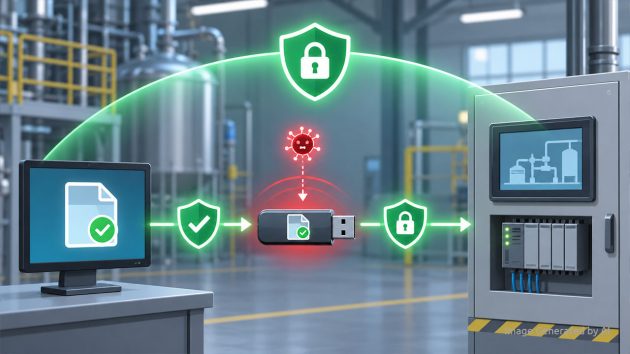
OT environments verify files at the point of entry. A vendor arrives with firmware, a contractor brings a patch, a maintenance team carries configuration updates. The files get scanned, approved, and handed off. Between that moment of verification and the moment the file reaches a PLC or HMI, security teams lose visibility entirely. In a new article, OPSWAT explains why single-point verification leaves a gap that legacy OT systems cannot close and how file integrity must be enforced through the entire distribution chain.
Why Do Legacy OT Systems Accept Unverified Files?
PLCs, HMIs, and legacy engineering workstations were not designed to question what arrives at their interfaces. They cannot run endpoint detection and response (EDR) agents or verify that incoming files match original approvals. When a device is connected, files become accessible by default.
OT environments typically scan removable media and transient devices before they enter the isolated network, and approvals are logged. These controls create a single moment of trust. Everything after that moment depends on whether every operator follows manual verification steps at every site. As the article states, “relying on every operator to follow every step across every site is a process assumption, not a security control.”
What Happens to a File Between Verification and Deployment?
Once a file clears the inspection point, most OT workflows have no mechanism to detect whether it has changed. A file modified after verification, whether through error or deliberate tampering, looks identical to one that has not been modified. The scan record remains valid. The approval is still logged. The operator distributing the file has no reliable way to tell the difference.
A scan proves a file was clean at one point in time, not that it is still the same file at deployment. In regulated industries, confirming that a file has not changed from approval to deployment is essential.
How Does Continuous File Verification Work in OT?
OPSWAT’s MetaDefender Drive with Smart Touch addresses this through Secure File Storage. Files copied from a vendor or contractor device are stored inside Secure File Storage, where they remain isolated and unavailable for distribution until they pass verification through MetaDefender Kiosk. Only clean files are made accessible for distribution into the OT environment.
The verification does not end at the kiosk. If a verified file is modified after the scan and before deployment, it is automatically blocked and hidden. That file must pass verification again before it can be accessed. This shifts the security model from “scan once and distribute” to “verify continuously until deployment.”
| Scan Once and Distribute | Verify Continuously Until Deployment | |
| Verification point | Entry only | Entry through deployment |
| Post-scan file modification | Undetected | Automatically blocked |
| File access after tampering | Remains available | Hidden until re-verified |
| Operator dependency | Manual steps at every site | Enforced by system |
What Else Do Security Teams Need for OT Device Security?
Secure file distribution is one component of OT device security. OPSWAT outlines additional requirements:
- Scanning and verifying incoming contractor and supply chain devices before they connect to OT systems
- Enforcing consistent inspection policies across distributed sites with centralized management
- Managing secure firmware distribution workflows in air-gapped environments
- Maintaining centralized visibility and audit-ready records
Read the full article on OPSWAT.com.
Related from IIoT World: